Explore checkout, menu options, kitchen screens and owner tools for cafés, delis, restaurants and retail businesses. Our team helps you get set up.
At the register
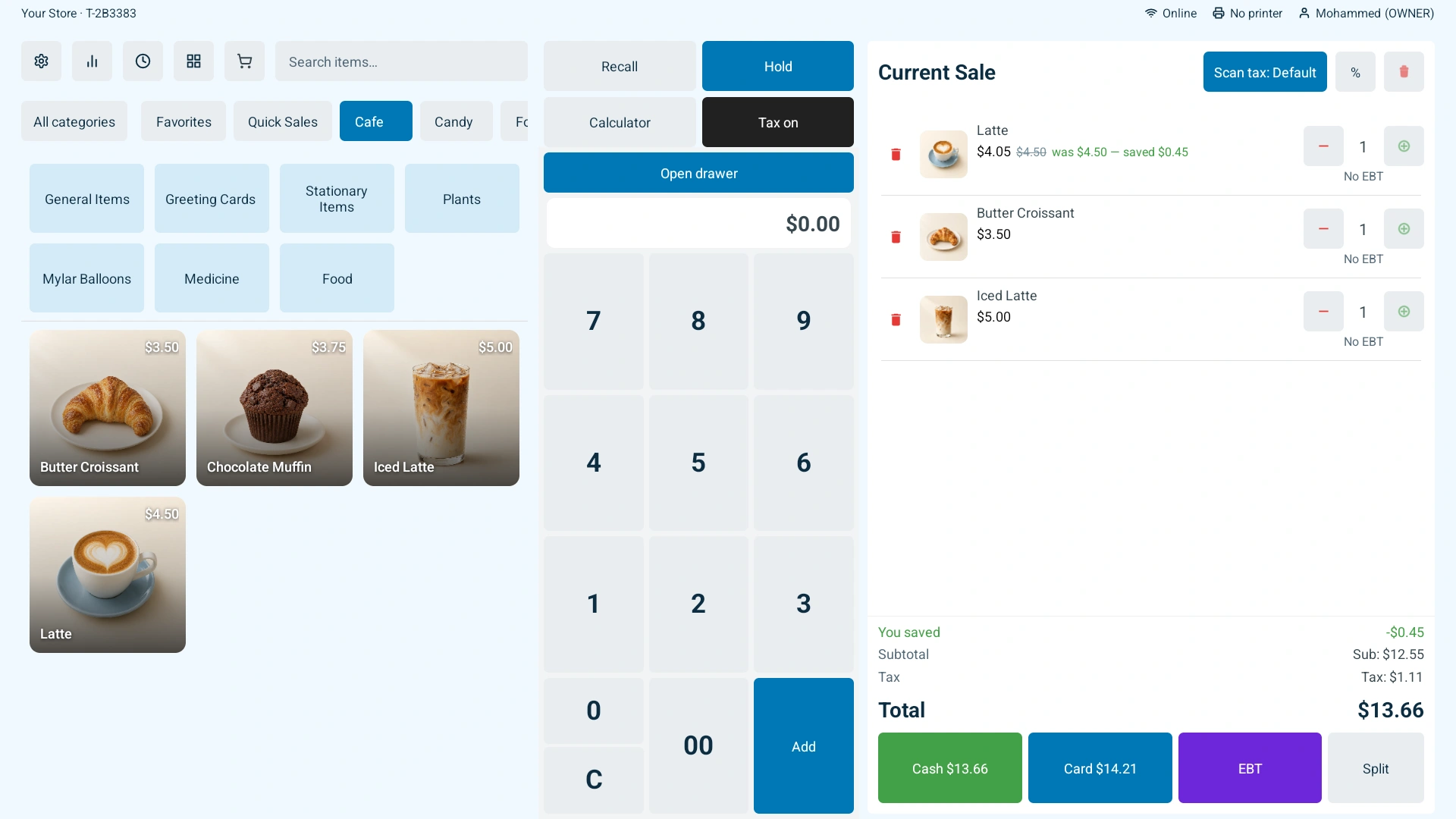
The counter screen your cashier works on all day.
Scan an item, tap a product tile, or search by name. Deals, discounts and tax are applied as you go, so the total on the screen is always the total you charge.
Barcode scanning straight into the ticket
Product tiles with pictures for anything without a barcode
Deals and discounts applied automatically
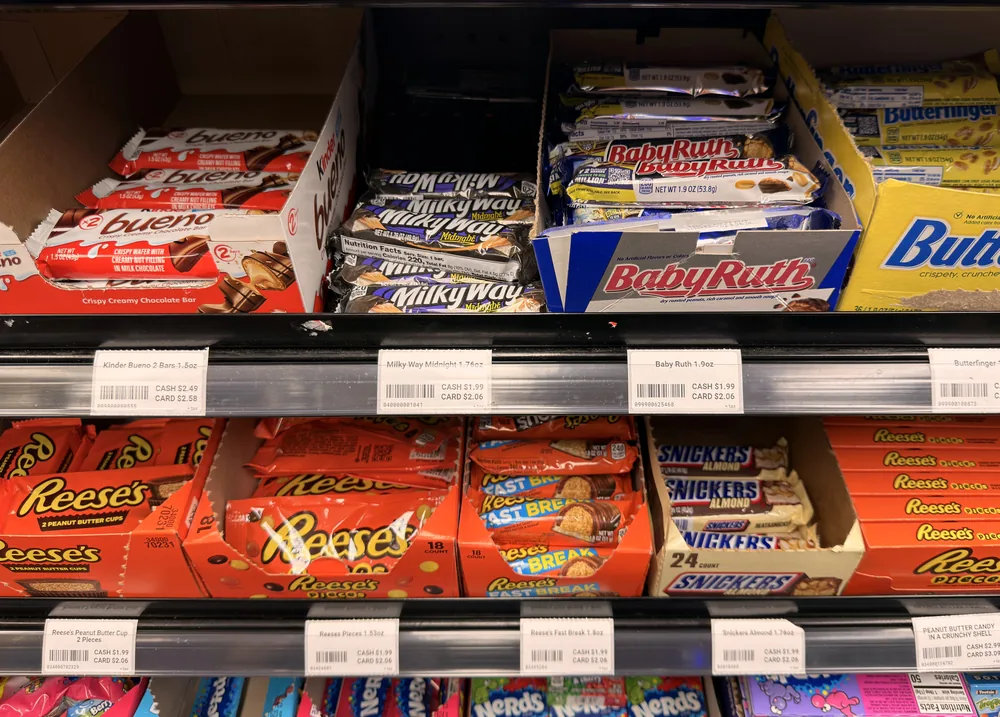
Cash and card prices follow your store’s dual-pricing settings. Show both at checkout and print them on your shelf labels. Print updated labels after catalogue changes so your shelf prices stay current.
Shelf labels with the item name, barcode and both prices
Print at the register, or send them from the dashboard or your phone
Reprint a whole shelf after a price change without retyping anything
Printed shelf labels — cash and card price on every tag
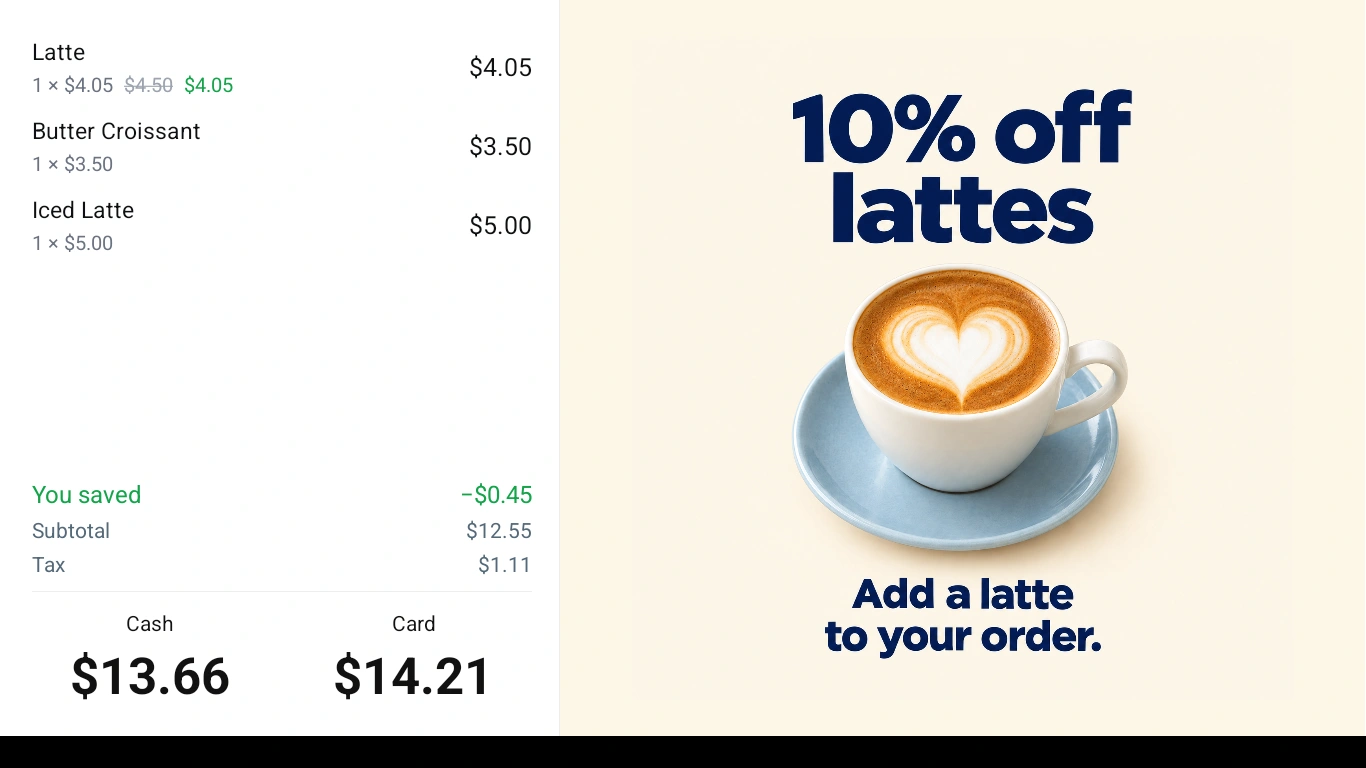
Cash and card totals alongside a featured offer
The second screen shows the cart, the running total and both prices while you ring items up. Between sales it shows your own promotions.
Each person clocks in at the register when they start and clocks out when they finish. The hours collect in one place, so you are not reading a paper sheet at the end of the week.
Close out a shift or a day and get the totals broken down by how customers paid, including refunds — printed at the counter or read later in the dashboard.
Food & drink
Menu choices, kitchen screens and printed tickets for businesses that prepare orders.
With kitchen display mode enabled, completed menu orders appear on Sleet Kitchen with order numbers, quantities and selected modifiers. Your team can follow order timers, mark orders done and bring a completed order back from Past orders.
New-order sounds and late-order alerts
A shared order board for your store
An optional printed customer pickup ticket alongside the kitchen display
Menu items can print a numbered pickup ticket after checkout. In dine-in mode, saving a table order prints a kitchen ticket for its new items on the register’s connected USB receipt printer.
Item quantities and selected options on both ticket types
Table numbers and order notes on dine-in kitchen tickets
Pickup tickets with order numbers, without prices
Build choices for each item, such as size, milk or toppings. Let the cashier choose one option or several, make a choice required, and add a price for extras where needed. The checkout total reflects the selected options.
For menu items, those choices also appear on the kitchen display or printed pickup ticket when that output is enabled.
For the owner
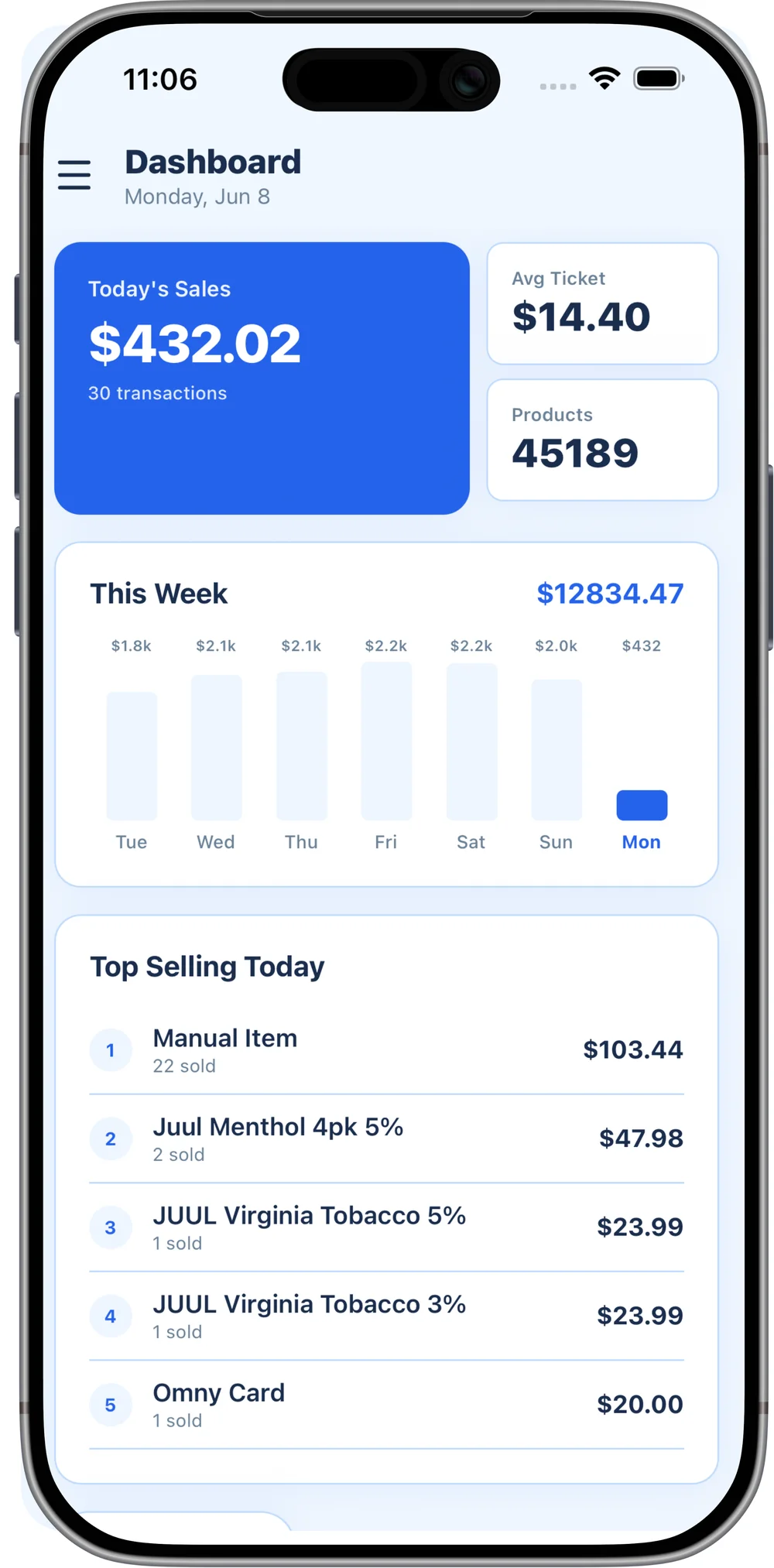
The same store, from your phone or from any browser — whichever you have open.
Look up any day, any register, any single ticket — what was on it, who rang it, how it was paid and whether any of it came back as a refund.
See which items are moving and which are sitting, how today compares to last week, and when your busy hours actually are — so you order and staff around what the store really does.
Take a picture of a supplier invoice with your phone, or upload it in the dashboard, and SleetPOS reads the lines — item, quantity and cost — then lines them up against the products you carry. You approve it before anything in your store changes. And it remembers your answers — match a supplier's line to your product once, and the next invoice from that supplier fills in on its own.
Add products, set prices, and watch counts move as sales happen. Change something here and the register has it.
Give each person their own login and decide what they can reach — the register, refunds, reports, or the dashboard itself.
Give wholesale customers their own pricing and account numbers, and keep those sales separate in your reports.
Walk the aisle scanning what is low and the order builds itself, grouped by vendor. Save it as a draft or send it, then check the delivery in against it when it arrives. Creating an order is yours and your managers' — cashiers can help receive it.
For your staff
What your team can do from their own phone, without reaching anything you would rather they did not.
Your team point their phone at a barcode to pull the product up, check the count against the shelf and correct it on the spot. When a delivery arrives they can check it in against the order without walking back to the register.
Staff can see whether they are currently clocked in and look back at the shifts they have worked, without being able to see the rest of the store.
We set up your business
Hands-on help with your products, your menu and the people who use the POS.
We help build your product list, organize your menu choices and work through the register with your team. You bring the knowledge of your business; we help put it into SleetPOS and show your employees how to use it.
During assisted setup, we choose a category, scan the product barcode, then scan its price barcode. Recognized product details fill in; missing names can be added by voice or typed in.
We review the catalog together before importing it into your POS. Category choices carry forward as we work through the next items.
Want this in your store?
Sign up in about a minute. We set everything up and you ring your first sale.